For Antigravity, VS Code and IntelliJ IDE · v1.7.0 · 7 September 2026
c4x — C4 Architecture Diagrams for Antigravity, VS Code and IntelliJ IDE
C4 architecture diagrams as version-controlled text in your repository, edited visually by dragging.
Figures verified 2026-10-20, read from each marketplace.
- 1,701
- VS Code Marketplace installs
- 8,476
- Open VSX downloads
- 4.45/5
- VS Code Marketplace rating
- 5.0/5
- Open VSX rating
Demo
The problem
Architecture docs break in three places
Software architects
Java runtimes, containers, complex syntax and separate drawing tools break the flow between code and architecture, while pure text gives no visual control.
Technical writers
Diagrams that cannot live inside Markdown need manual exports and uploaded images that fall out of date as the code changes.
Engineering managers
Fragmented drawing tools and proprietary canvas files leave teams without one standard they can review in Git pull requests.
What it does
Six jobs, inside the editor
Write and preview
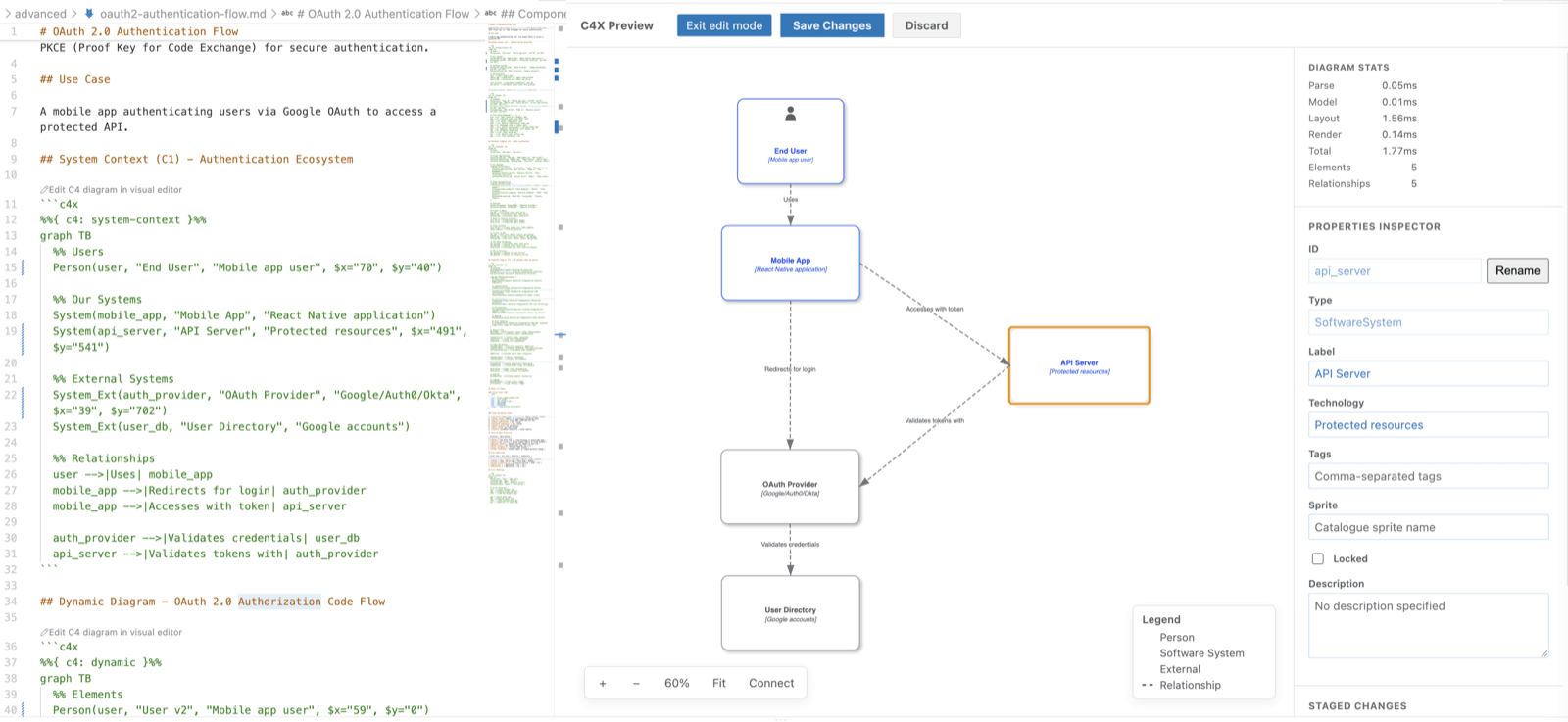
Write concise, Mermaid-inspired C4X text and render an interactive diagram locally, without a network connection.
Generate from a codebase
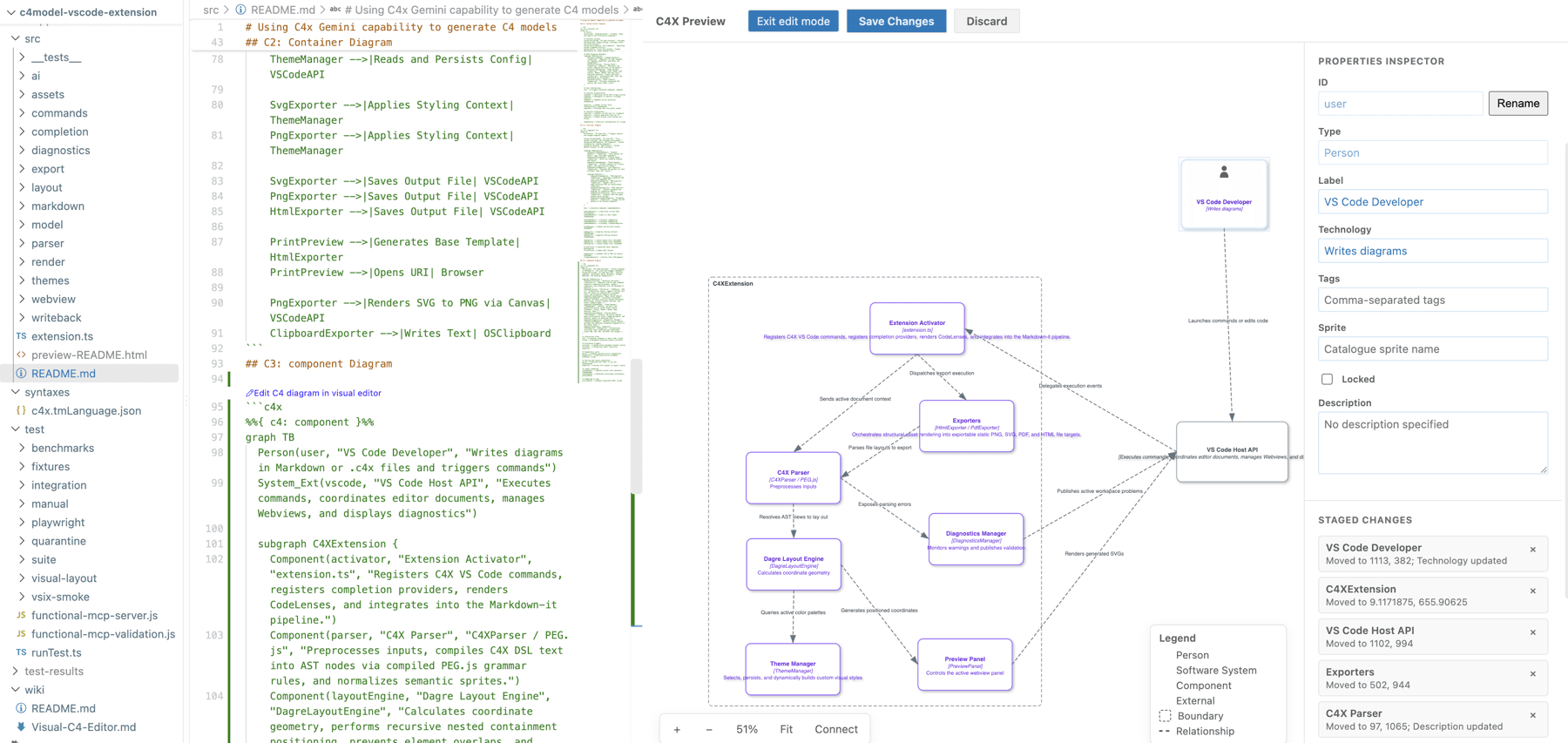
Gemini inspects the surrounding files, drafts a C4 model at the cursor and gets up to three local syntax-correction passes.
Arrange by dragging
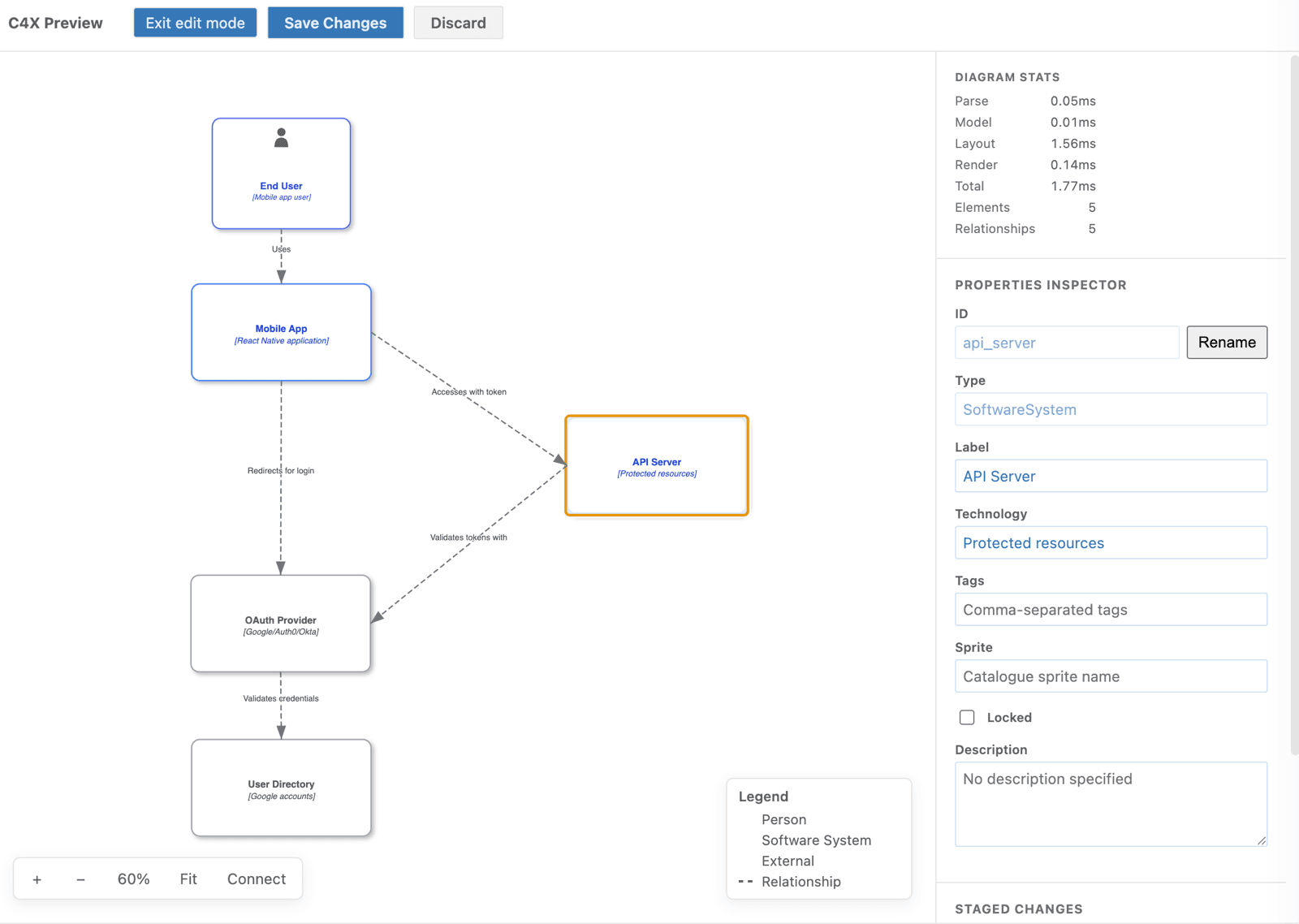
Drag elements into place, review the staged coordinates, then save them to C4X source or an imported format's layout sidecar.
Edit on the canvas
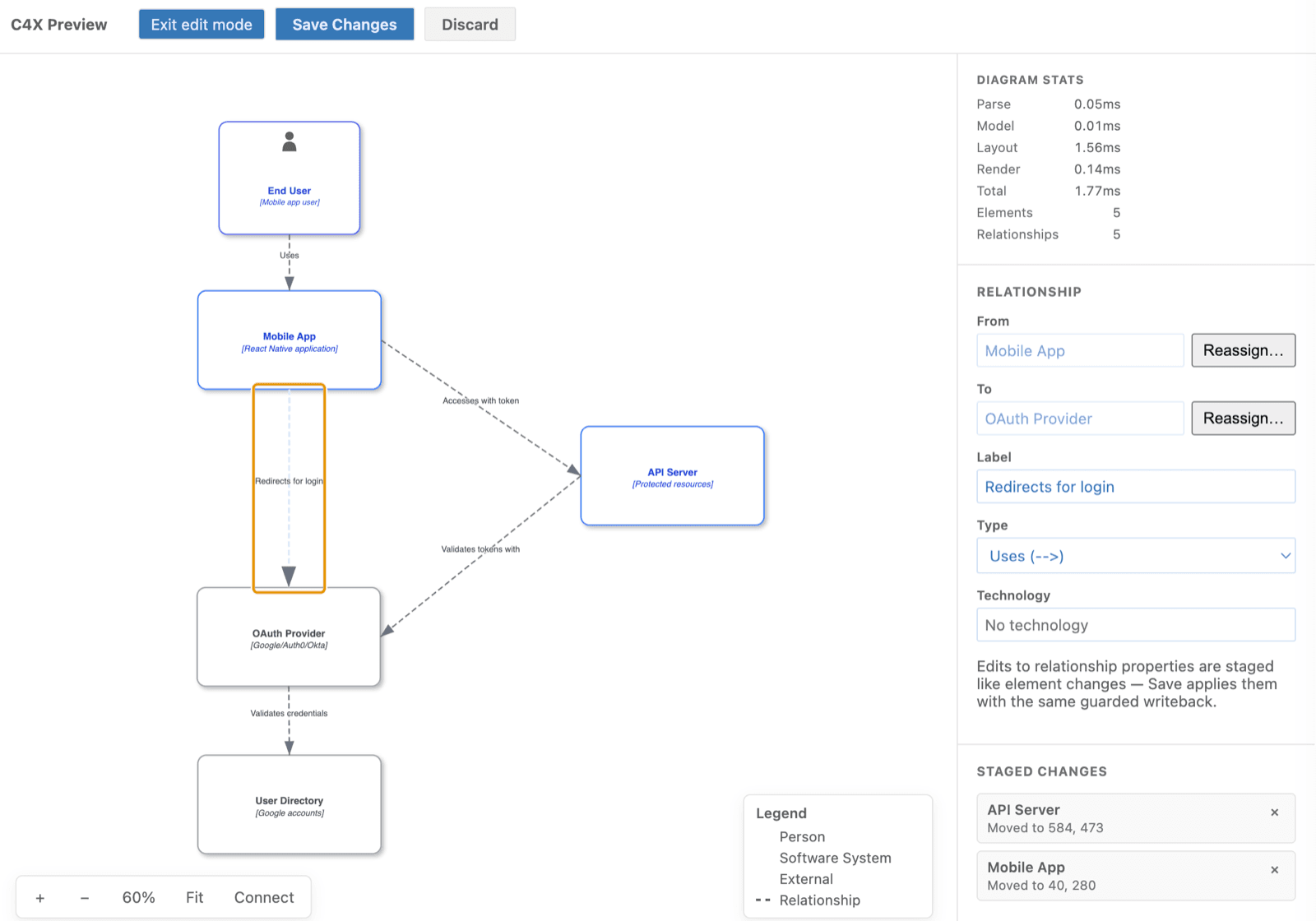
Edit element details, rename identifiers across their relationships, draw new connections and reassign existing ones.
Review before saving
Inspect a unified source diff, discard individual changes and save the batch as one atomic undo operation.
Export and embed
Export SVG or PNG at 1x, 2x or 4x, copy SVG to the clipboard, and render fenced C4X blocks in Markdown previews.
New in 1.7.0
Released 7 September 2026
- Text and image model pickers list the Gemini models available to your API key.
- Nested boundaries resize consistently, positioned elements stay put, and discarding a move restores its enclosing frame.
- Editor startup and source binding keep the diagram visible when focus moves to the preview.
- Failed saves retry rollback, and restored drafts warn when their original targets no longer exist.
- Runtime dependency fixes and clean-install checks cover Windows, macOS and Linux.
How to start
One edit, four steps
Open a diagram or a fenced C4X block in Markdown.
Choose Edit C4 Diagram.
Move an element and review the staged source diff.
Choose Save Changes, or Discard to abandon the staged edits.
code --install-extension jpantsjoha.c4xKnown limitations
What still needs work
- Pan and zoom alone are not reliably persisted across reloads. Draft entries whose targets no longer exist produce a warning; draft identity and migration improvements remain pending. Save important changes before closing or switching diagrams.
- Relationship labels can change position after saving. Long descriptions can extend beyond node boxes. Resize-handle positioning and mixed boundary/node edits remain under review.
- Adding elements from a palette and deleting elements or relationships remain planned authoring features.
Keep the architecture beside the code
Write the model as text, shape it on the canvas, and review the change in Git.
Source and issue tracking are available in the GitHub repository.