Chrome extension · Free · Bring your own key
Don’t trust. Verify.
A Chrome side panel that fact-checks what you hear — live. It transcribes the conversation, pulls out the claims that matter, and checks each one against real sources, while it is still being said.
- 4
- lenses
- Never
- data collected
- Your key
- billed by Google
- On-device
- speech where available
The problem
Confident and wrong is the default setting of live audio. A TV debate, a podcast, a sales call, a lecture — claims go by faster than anyone can check them, and the polished ones are the hardest to question. DontTrustVerify checks them for you, while you listen.
How it works
The loop, in five steps
Listen. Grant the microphone once. The side panel captures the audio in the room — a debate playing, a call, a talk.
Transcribe. Speech becomes text through Chrome's own speech recognition, on-device where the on-device pack is installed.
Extract. The claims that matter rise to the top on their own — de-duplicated, so a point made three times appears once.
Check. On your own Gemini key, each check-worthy claim is searched against the web for corroborating sources.
Verdict. Every claim gets a band, a confidence, and named citations — plus bias, sentiment and insight lenses.
The four lenses
Four readings on every claim
Truthfulness, with citations.
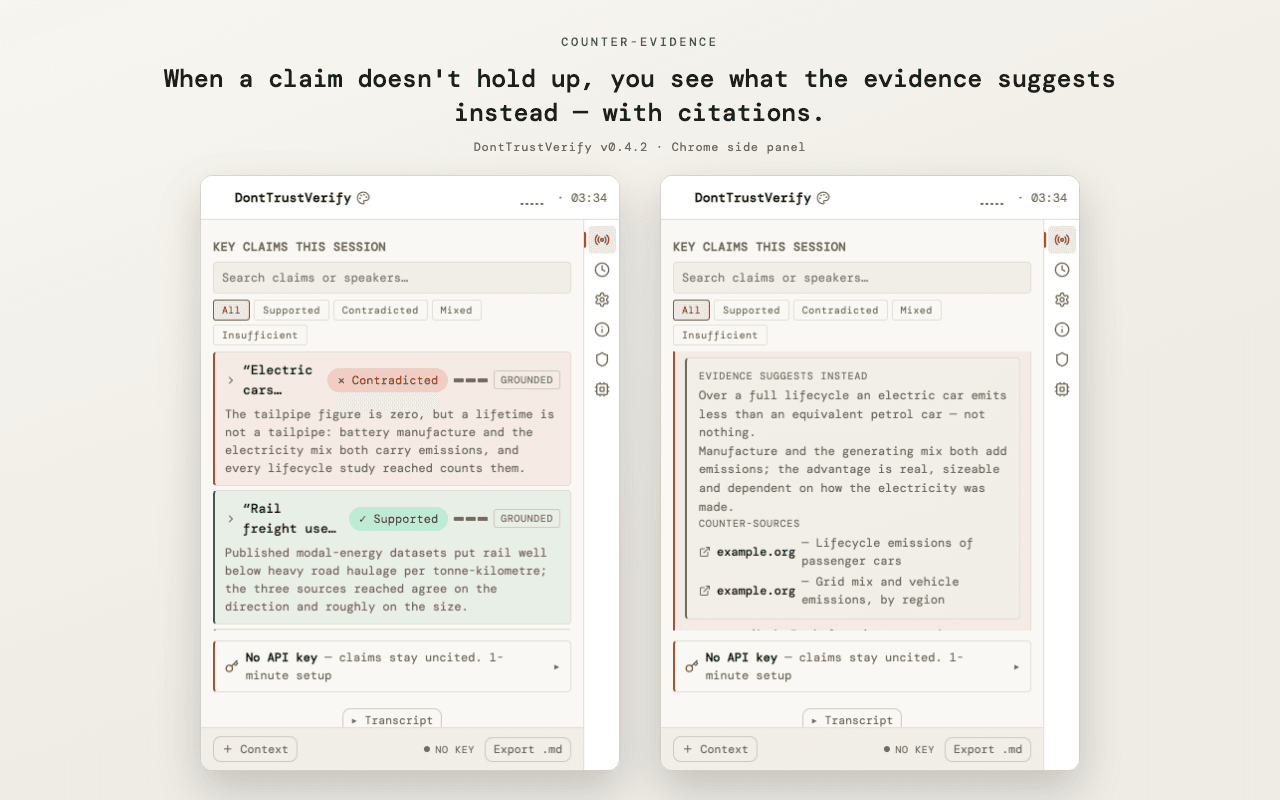
On your own key, the extension searches Google for corroborating sources. When it finds them, the claim is cited — title, publisher, date, and a short rationale you can open. When the web has nothing to say, the claim is marked "insufficient evidence" rather than dressed up as a result.
Political lean.
The narrative slant of each claim, shown with the convention that fits the polity — the UK red/blue orientation is respected, not flattened into a US default. When there is no slant to report, it says "no reading".
Sentiment.
The tone of each claim — framing, loaded language, per-claim polarity — kept deliberately separate from the truth verdict, so tone never colours the facts.
Key insights.
The themes, the open questions, and a rolling picture of the session, gathered as it runs and exportable as a cited Markdown briefing.
See it live
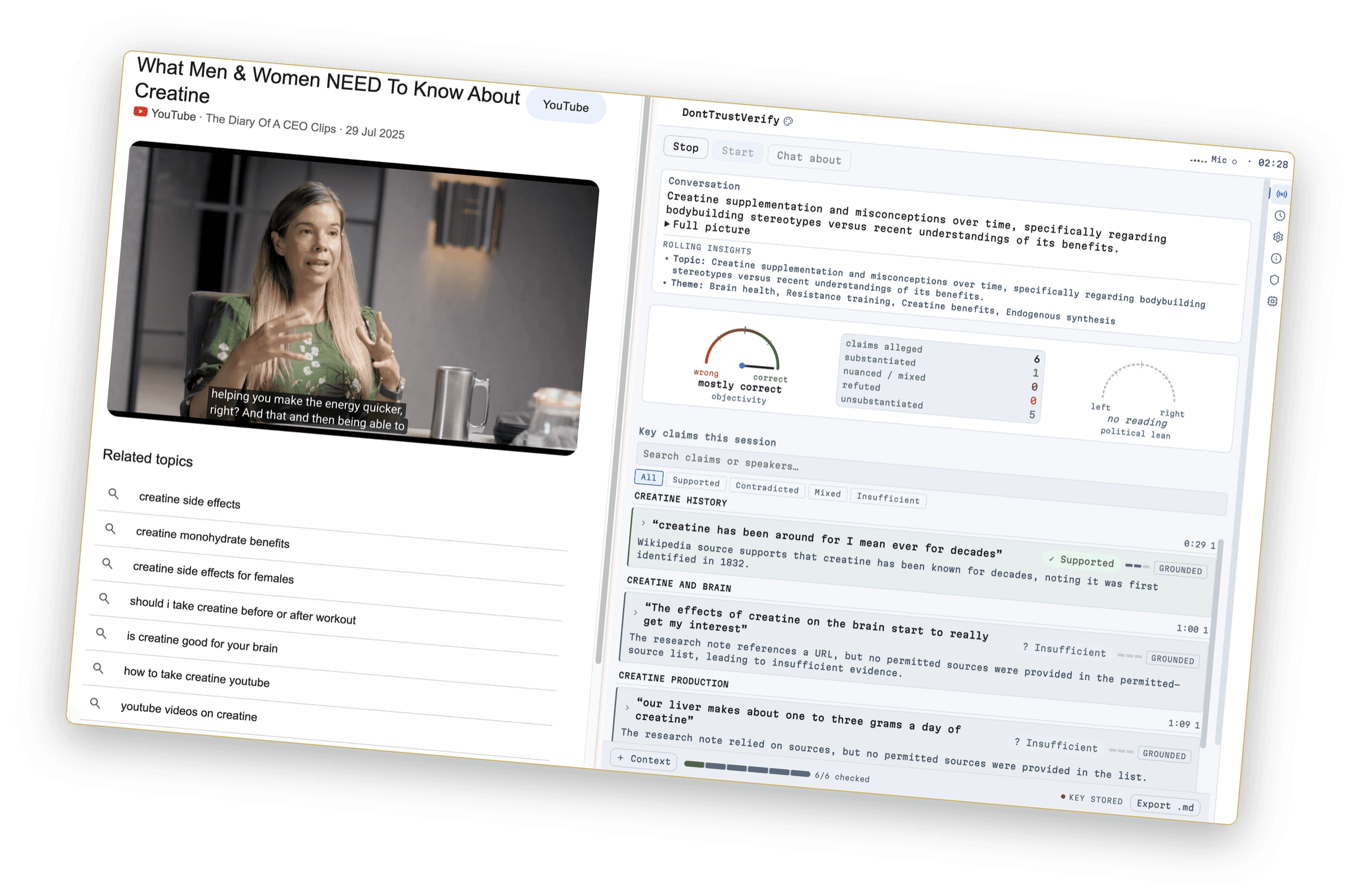
Claims-first, in the side panel
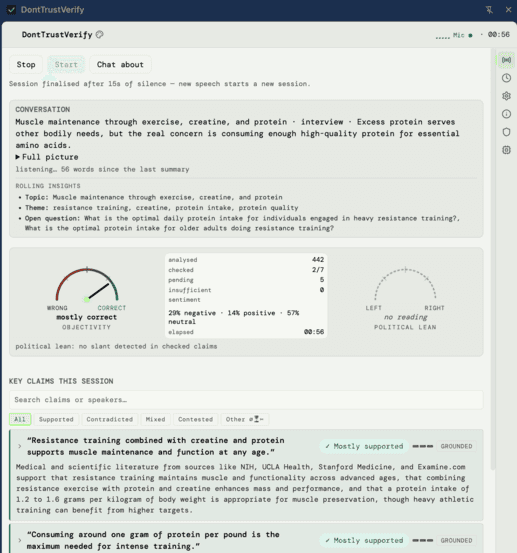
A closer look at the panel — the hero above, and two more below.
You’re in control
You’re in control of what matters
Rigour costs money and attention. DontTrustVerify hands you the dial — so the effort lands on the claims that matter, not the noise.
Fidelity, on your budget.
Fact-checks run on your own Gemini key against a per-session budget you control. A fidelity dial sets how many claims each window checks — turn it up and it spends the budget faster, and the app says so. Breadth or speed is your call, not ours.
"Insufficient evidence" is a real answer.
A claim the web can't corroborate is marked insufficient — never handed a confident-looking verdict it hasn't earned. The honest state is a first-class result, not a gap papered over.
On-device where it can be.
Sentiment and political lean read on-device through Chrome's built-in Gemini Nano; microphone transcription stays on your machine when Chrome's speech pack is installed. The About view tells you which path is live, rather than assuming the flattering one.
Local-only, on your terms.
One switch turns off every cloud call the extension makes — you keep the on-device lenses and your local history, and lose only the web checks. Verdicts still translate on-device, in your language, for free; the band, confidence and citations are never translated.
Your keys, your data
Privacy by architecture, not by promise
There is no vendor in the middle. DontTrustVerify runs no server, holds no account, and receives none of your data. Fact-checking runs on your own Gemini key, against your own Google Cloud project, billed to you by Google. Read exactly how below.
Read the privacy policy →Privacy
Privacy: I collect nothing
DontTrustVerify collects nothing. As its creator I run no server, no account, no analytics and no telemetry — there is nothing on my side that could retain, analyse, or receive your data. Everything the extension does runs on your own device, and its fact-checking runs on your own Gemini API key against your own Google Cloud project: that data is between you and Google, billed to you and governed by Google's own privacy policy, not mine. Microphone audio is transcribed by Chrome's own speech recognition — on your machine where the on-device pack is installed, otherwise by Google's speech service — so no audio ever reaches me.
Effective 2026-08-25 · DontTrustVerify Chrome extension (Manifest V3, microphone-only) · Publisher: Jaroslav Pantsjoha.
Support. Questions or corrections? Reach me through the links in the extension's About view. No account of any kind is required.
Don’t trust. Verify.
Built for debate watchers, journalists, researchers, interviewers, and anyone who’d rather check than guess.
DontTrustVerify is an experiment by Jaroslav Pantsjoha. Provided as is, no warranty. Don’t trust — verify.